
Library, tags and the knowledge graph
Work piles up. The Library is how you find your way back. Bookmarks for the things you return to, tags for the things that belong together, and a graph for how everything connects.
Bookmarks are yours alone
Section titled “Bookmarks are yours alone”A bookmark is a private note to self. Nobody else sees your bookmarks, not your manager, not an admin, and not the owner of the thing you bookmarked.
You can bookmark anything you can open: a note, a file, a task, a project, an event, a channel, even a single chat message. The bookmark is a pointer to the live thing. Open it and you see the current version, the same one everyone else sees.
Because it is a pointer, it follows your access. Lose access to a note and its bookmark quietly drops out of your list. Get the access back and the bookmark returns. You never add it back yourself. If the thing itself was deleted, the bookmark says so.
Bookmarking changes nothing about the content. It grants no access, notifies nobody, and shows up in no one’s activity.
Tags are a shared vocabulary
Section titled “Tags are a shared vocabulary”Tags work the other way around. There is one set of tags for your whole organization, and a tag spans every kind of content. Tag a note, a file, and a project with onboarding and they now belong together, even though they live in three different places.
Adding or removing a tag counts as editing, so you need edit rights on the thing you are tagging. Reading is looser. Anyone who can open the content sees its tags. One item holds up to 20 tags you add by hand.
A tag page shows only what you can open. Two colleagues click the same tag and get different lists, each matching what that person can open. A tag that sits entirely on content you cannot see does not appear for you at all. Tag freely. A tag never reveals the content it sits on.
Tags also work in search. Filter any search to a tag and the same rule holds. You only get results you could open anyway.
The graph draws what you meant
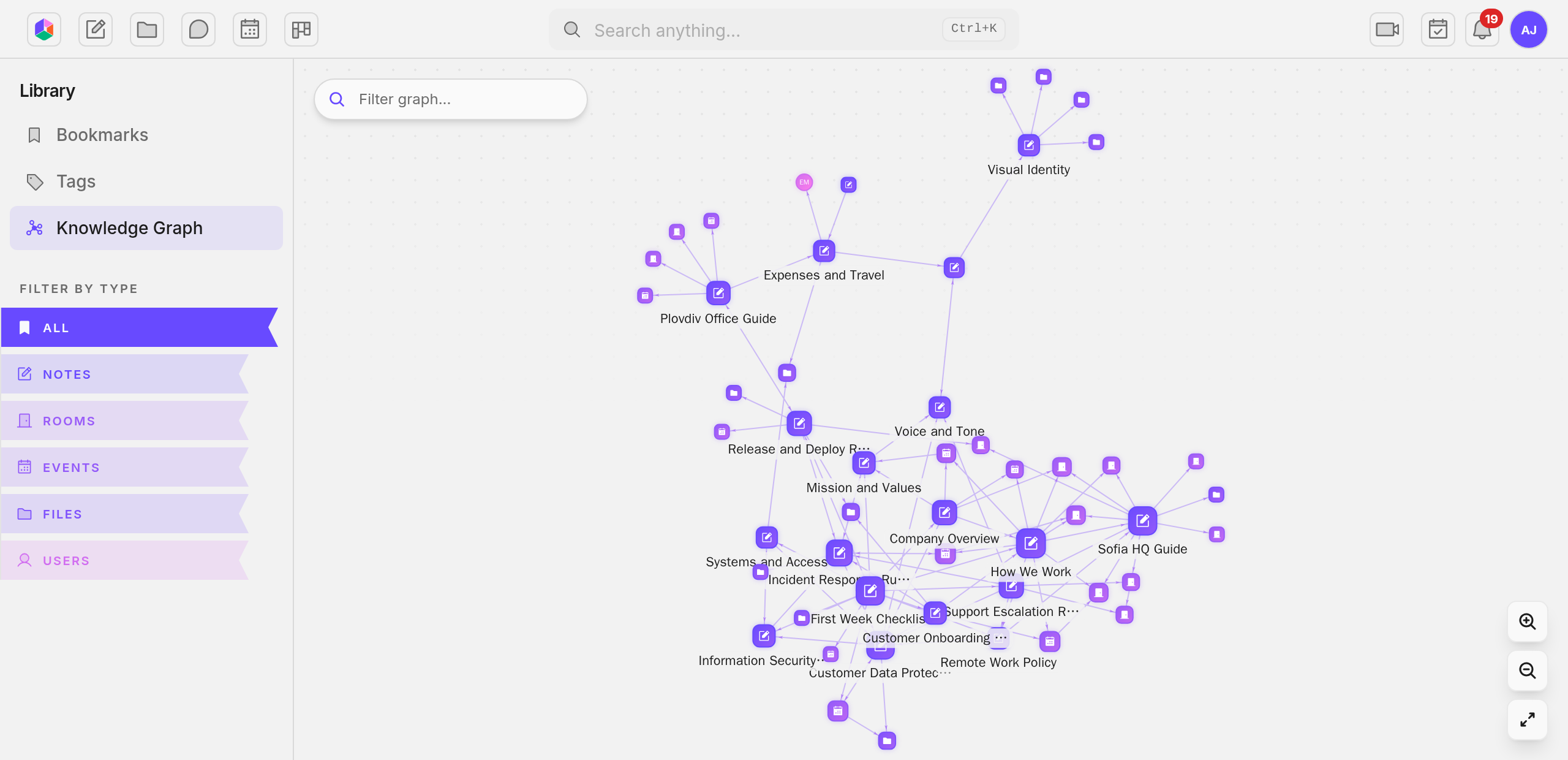
Section titled “The graph draws what you meant”Every time you mention something in Uniffy, you are stating a connection. This task came out of that meeting. This note explains that file. The knowledge graph takes those mentions from your notes, tasks and calendar events and draws them as a map.
Nobody maintains this map. It exists because the mentions exist, and it updates when they change. Delete the mention and the line goes away.
Each person gets their own map. The graph shows only content you can open, so your graph and a colleague’s graph of the same team are different pictures. There is no master graph an admin can pull up to see everything.
Click a thing and the graph narrows to its neighborhood. When you are inside a note and want to see its place in the whole, use Show in graph and you arrive already centered on it.
Every line on the graph connects two things you can open. That makes it a good place to start in your first week. Open the graph, find the busiest node, and read outward from there. That node is what your team talks about most.